Three Ways Agents Use Tools, and When to Pick Each
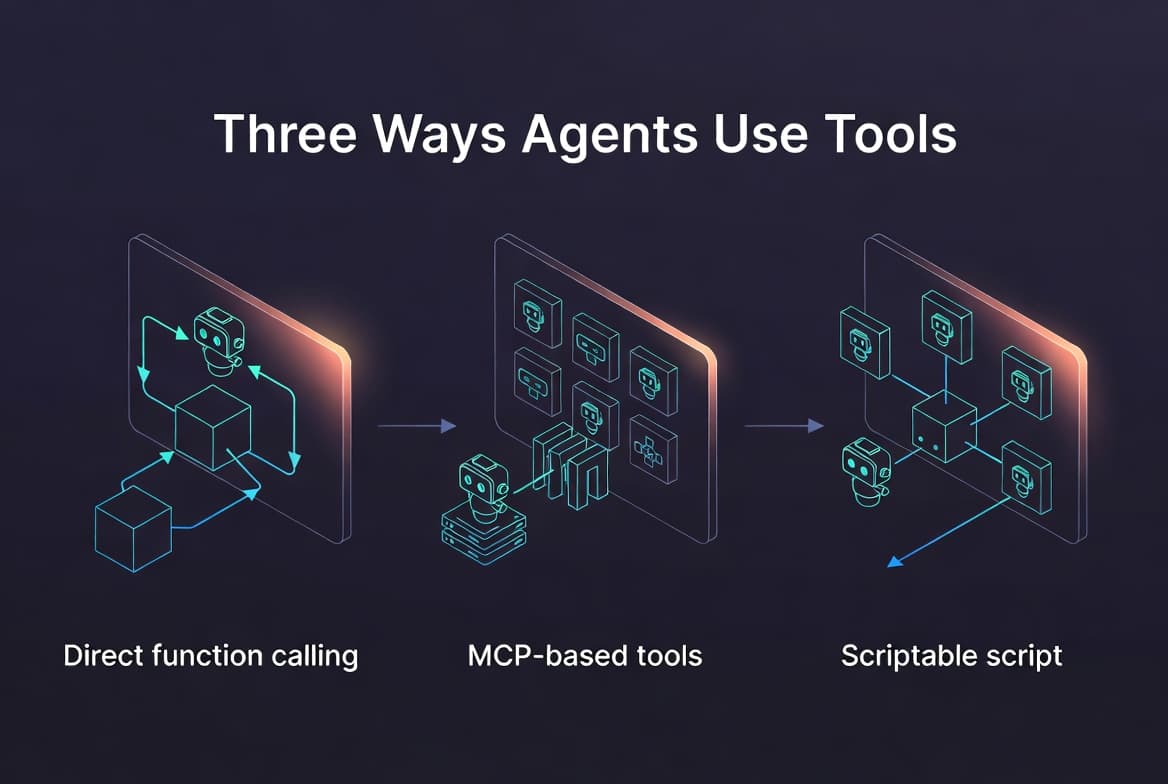
Agents are powerful because of their ability to make autonomous decisions. And that power comes from their ability to interact with the environment. The way they interact with that environment varies, and the tools they use fall into a few distinct categories. This post walks through three of them and why the distinction matters.
Basics
Most agents today are built on the ReAct pattern — short for "Reasoning and Acting." It extends Chain-of-Thought (CoT) reasoning by interleaving thoughts with actions, so the model can not only think through a problem but also take steps in the world and observe the results.
Action can be of various types. Tool use is one of them, which is the focus of this post. Tools exist because models are frozen at training time; they have no built-in way to fetch live data, run calculation on inputs or trigger some side effects. A tool is what enables a model these abilities. Eg: searching the web, get weather of place, make updates to the database etc.
Types
Now that we've covered a foundation, I will explain the 3 types of tool usage.
Agent Native :
These are the tools defined directly inside your agent's codebase and registered with the LLM through a provider specific function-calling interface. The model sees their input/output schema and can call them directly.
The typical flow looks like this:
The user sends a query.
The LLM decides whether to invoke a tool. If yes, it calls, say,
tool_1with arguments it generates.The tool's response is fed back into the LLM as a new message.
The LLM can then call another tool, loop again, or use whatever it has to write a final answer.
This is what most people picture when they hear tool-calling.

Code Example:
from langchain_core.tools import tool
from langchain_openai import ChatOpenAI

@tool
def get_weather(city: str) -> str:
    """Get the current weather for a city."""
    return f"It's 22°C and sunny in {city}."

llm = ChatOpenAI(model="gpt-4o-mini").bind_tools([get_weather])

response = llm.invoke("What's the weather in Kathmandu?")
print(response.content)
External MCP Based Tools
Model Context Protocol (MCP) tools are fundamentally similar to agent native tools. The model gets schemas, picks one, calls it and receives a response.
The only difference is in the wiring. Instead of them living inside the same codebase, they live in a separate MCP server, that exposes them over a standardized protocol.
This decoupling provides:
Re-usability: The same MCP server can serve different agents in different code bases without repeating the code.
Separation of Concerns: The tool developer and agent developer can work independently.
Ecosystem: You can plug in third-party tools without writing your own implementation. Eg, Github, Slack etc.
It's often argued that, MCP is just another form of API which is fair. But the major value is in the uniform way for any agent to discover and call any tool.

Code Example:
Server:
from mcp.server.fastmcp import FastMCP

mcp = FastMCP("weather-server")

@mcp.tool()
def get_weather(city: str) -> str:
    """Get the current weather for a city."""
    return f"It's 22°C and sunny in {city}."

if __name__ == "__main__":
    mcp.run()
Client:
import asyncio
from langchain_mcp_adapters.client import MultiServerMCPClient
from langgraph.prebuilt import create_react_agent

async def main():
    client = MultiServerMCPClient({
        "weather": {"command": "python", "args": ["weather_server.py"], "transport": "stdio"}
    })
    tools = await client.get_tools()
    agent = create_react_agent("openai:gpt-4o-mini", tools)
    response = await agent.ainvoke({"messages": "Weather in Kathmandu?"})
    print(response)

asyncio.run(main())
Scriptable Tools
Scriptable tools change the interaction model that previous two models share. With Agent Native and MCP tools, every tool call sends its output back to the LLM, which then decides what to do next. But, this model breaks down in two cases:
Outputs are huge: Say, a tool outputs 50,000 row data frame.
The next step is obvious: Filter -> Aggregate -> Plot. If this step is clear, then there's no reason for the model to see output of each intermediate tool call.
To solve this, we can expose our domain functions as python library. Give llm a single bash or python_exec tool, let it write a python script that chains everything together. The model will only see the final output.

Code Example:
Tool Definition:
# data_tools.py
import pandas as pd

def load_sales(path): return pd.read_csv(path)
def filter_region(df, region): return df[df["region"] == region]
def total_revenue(df): return float(df["revenue"].sum())
Tool Registration and Use:
# The agent gets ONE tool: a Python executor.
from pydantic_ai import Agent
import subprocess

agent = Agent("openai:gpt-4o-mini", system_prompt=(
    "You can call run_python(code). The `data_tools` module exposes "
    "load_sales, filter_region, total_revenue. Only stdout is returned."
))

@agent.tool_plain
def run_python(code: str) -> str:
    """Execute a Python script and return its stdout."""
    return subprocess.run(["python", "-c", code], capture_output=True, text=True).stdout

# Asked "What was APAC's Q3 revenue?", the model writes and runs:
#   from data_tools import load_sales, filter_region, total_revenue
#   df = load_sales("q3.csv")
#   print(total_revenue(filter_region(df, "APAC")))
# The full dataframe never enters the model's context.
result = agent.run_sync("What was APAC's Q3 revenue from q3.csv?")
print(result.output)
When to Use Which
| Type | Best for | Trade-off |
|---|---|---|
| Agent Native | Small, fast, app-specific tools | Tightly coupled to your codebase |
| MCP-based | Reusable tools shared across agents/teams | Extra infra; more maintenance |
| Scriptable | Heavy data, deterministic multi-step work | Needs a sandboxed code executor |